See what’s left.
Your remaining quota and reset countdown, right in the menu bar.
 Codex Limit Bar
Keep your remaining quota and next reset in the Mac menu bar. Stay in your flow, with the numbers one glance away.
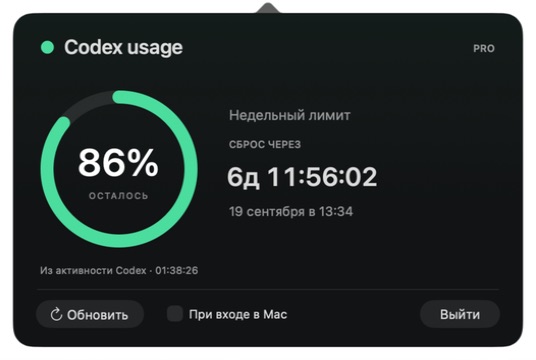
Your remaining quota and reset countdown, right in the menu bar.
Five-hour and weekly windows, with the reset date in your local time zone.
Every reading shows its source. Old data is clearly marked.
Codex Limit Bar is built with Swift and AppKit. No extra API key. No model turns. Just your usage, made visible.
Read the installation guide ↗First release: the app interface is Russian; documentation is available in English and Russian. Downloaded builds are ad-hoc signed, not Apple-notarized. Building from source is recommended.
It sends no prompts and starts no model turns. It asks Codex for account usage information, or reads local quota events.
Your account may provide only a weekly quota. The app displays the periods Codex actually returns.
The monitor falls back to local Codex activity and shows the event timestamp. Readings older than five minutes are marked stale. After an account switch, local events may still belong to the previous account.